Plan with Memorama · Team building
Team building the team actually remembers
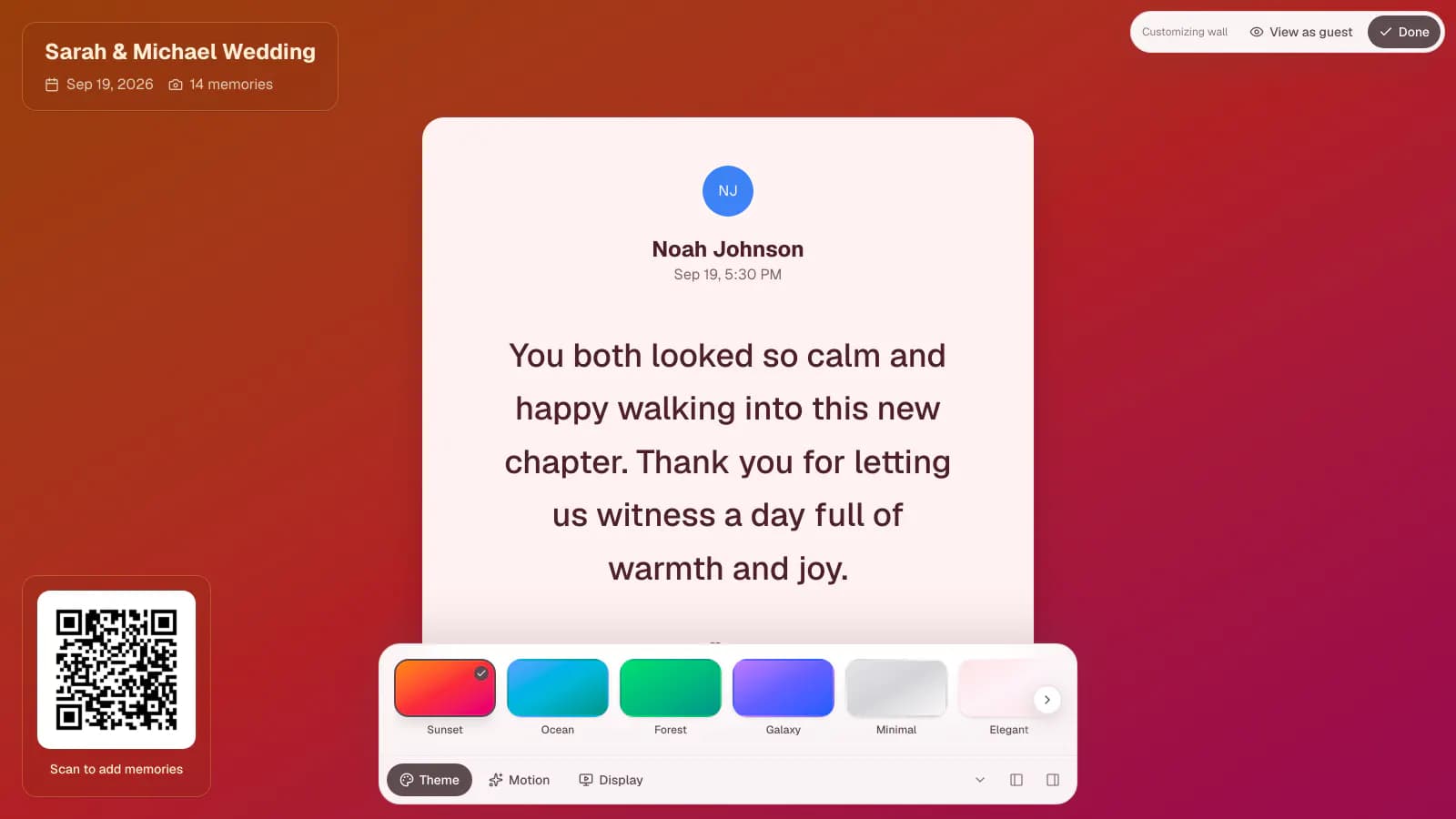
Confirm participants, split tasks among organizers, keep the budget on track, and put everyone's photos on a live wall during the activities.
2,300+ memories made on Memorama
- No card required
- Guests don't install anything
- Unlimited guests on every plan
- Free planning tools, forever
Sound familiar?
- Chasing colleagues to confirm attendance.
- Budget and receipts spread across several people.
- Great moments that never get shared beyond one phone.
Everything you need, already connected
Every tool shares the same guest list, so a change in one place shows up everywhere.
Live party games
Quiz, charades and polls played from guests' phones, live on the big screen.
Learn moreGuest list & RSVP tracking
Import your list, track every reply, and remind those who haven't answered.
Learn moreTasks, due dates & notes
A planning checklist with due dates, owners, and shared notes.
Learn moreDay-of schedule
Every moment of the day in order, ready to print or send to vendors.
Learn moreBudget, vendors & payments
Expenses, vendors, due payments, and who paid what, in one place.
Learn moreQR code memory album
Collect photos, videos, and messages in one gallery.
Learn moreWall of memories
Show your live memories wall at the event.
Learn moreAI face grouping
Find the photos of a specific person much faster.
Learn moreDigital invitations
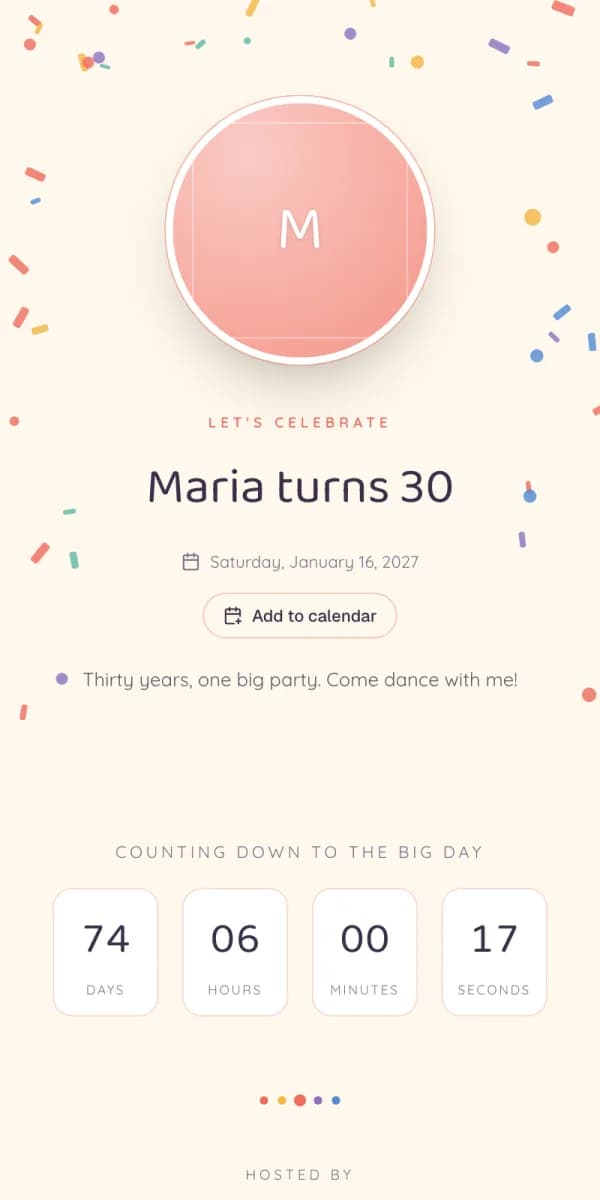
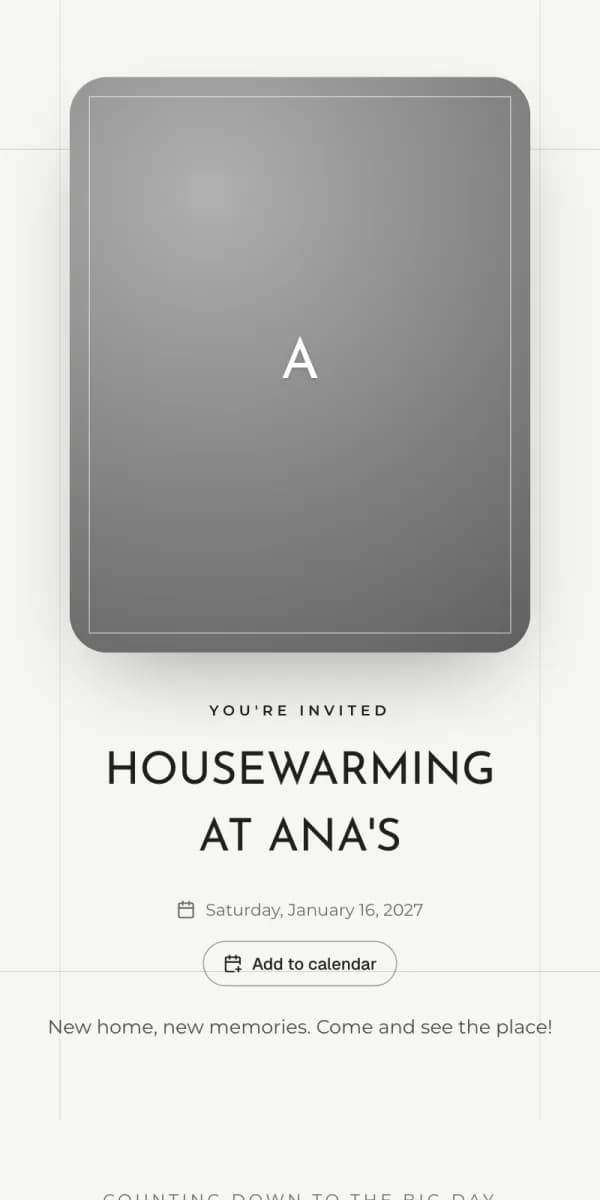
An invitation that looks like your event
Pick a template made for weddings, baptisms, birthdays or corporate events, then edit everything right on the invitation. Guests open it on their phone and reply in a few taps.
- 14 templates, each with its own colors, fonts and artwork
- Edit text, program and photo directly on the page
- Countdown, RSVP deadline and maps for every location
- Replies land straight in your guest list
QR memories album
Your guests need 10 seconds, not an app
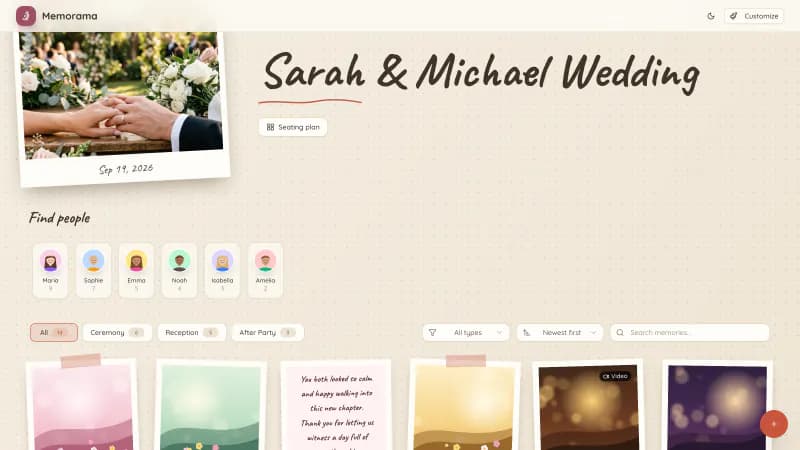
No downloads, no accounts, no group chats full of blurry photos. Guests scan the QR code, upload, and browse everyone's photos, videos, and messages in your shared album.
01Scan the QR code
Place it on tables, invitations, or the welcome sign. Any phone camera opens your album.
02Upload in full quality
Photos, videos, and messages go straight into your private album, no sign-up needed.
03Relive it together
Everyone sees the shared photos, videos, and messages in the album, during and after the event. You can also put a live memories wall on a screen at the venue.
Start free, upgrade only if you need to
Guest list and import, RSVP tracking, seating, budget with vendors and cash gifts, tasks, and the day-of schedule are free forever. Upgrade for a bigger album, automatic RSVP invitations, and AI face grouping.
Frequently asked questions
Can I remind colleagues who haven't confirmed?
Yes. “Remind those who haven't replied” takes you through everyone who hasn't answered, with a message you can edit and send by WhatsApp or SMS, and shows when you last reminded each of them.
Can I show photos live during the event?
Yes. Put the memories wall on a screen or projector and new uploads appear in real time.
Can I find all photos of a colleague?
With AI face grouping, photos are grouped by person so you can find everyone's moments quickly.
Can I track the team-building budget?
Yes. Log expenses and payments, note which colleague paid, and see what's left of the budget at any time.