Add or import your guests
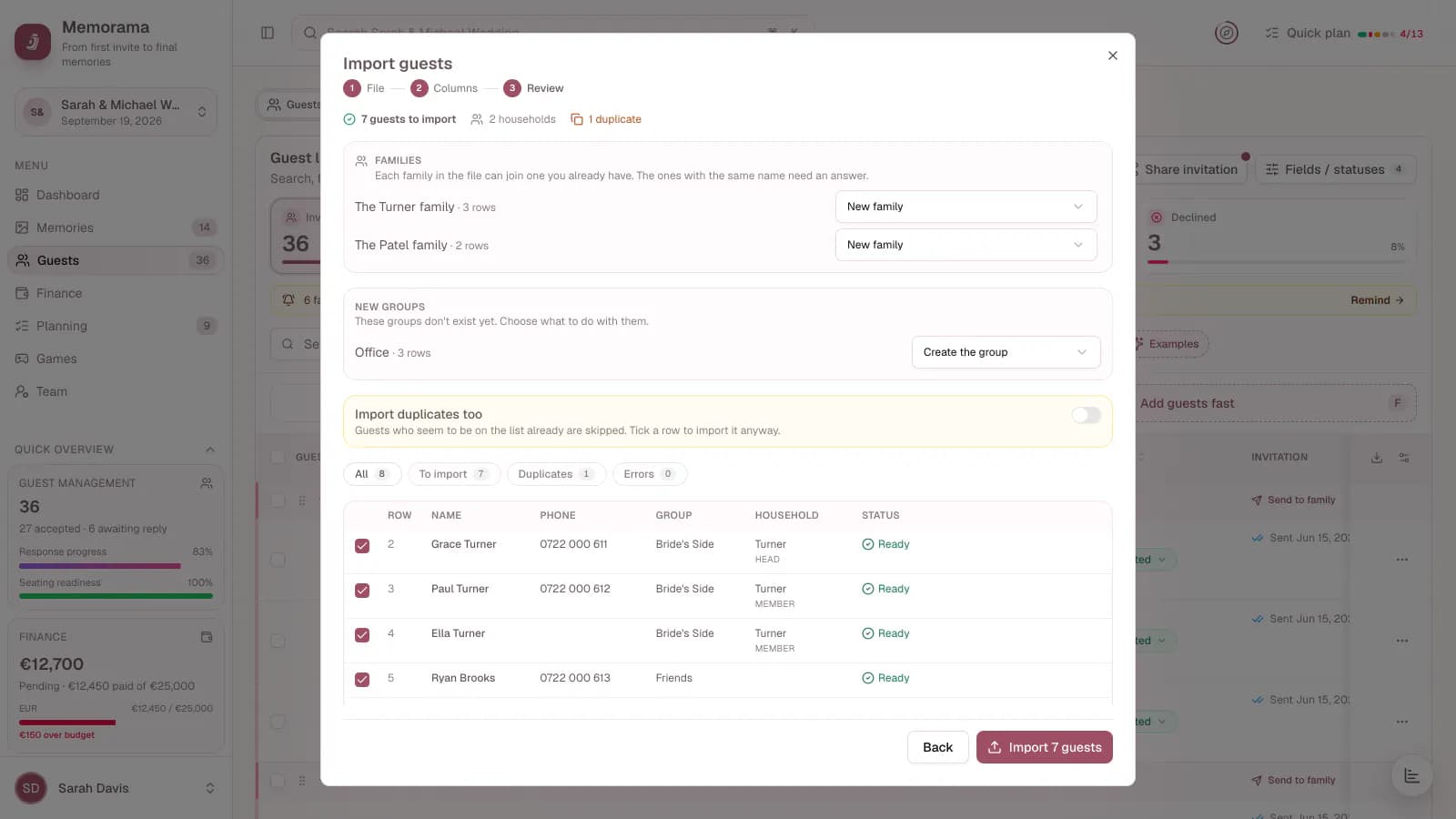
Type guests in one by one, paste a whole list into Fast add, or import your spreadsheet: columns are matched for you, families and groups come along, and people already on the list are skipped.
Import your list, track every reply, and remind those who haven't answered.
Keep every guest, family, and reply in one shared list. Bring in the spreadsheet you already have, see who is coming at a glance, with adults, children, and infants counted for the venue, remind the families who haven't replied, and keep your event team working from the same up-to-date list.
A closer look at guest list & RSVP tracking.
Made for real event planning
Memorama brings practical tools together, so the details stay organized before the celebration and the moments stay close afterward.
Simple workflow
Type guests in one by one, paste a whole list into Fast add, or import your spreadsheet: columns are matched for you, families and groups come along, and people already on the list are skipped.
See who hasn't answered yet and remind each family with a ready-made message. New replies reach you by email.
Give the venue the confirmed headcount, adults and children, use the list for the seating plan, and export it to CSV or PDF anytime.
FAQ
Yes. Upload a CSV file or paste cells copied from Excel or Google Sheets. Memorama recognises common column names in Romanian and English and lets you match the rest, keeps families together, creates new groups, and skips guests who are already on your list. You can import up to 1,000 guests at a time and download a CSV template that includes your custom fields.
Before the event, “Remind those who haven't replied” takes you through the families who got the invitation but haven't answered, one at a time. Each gets a message you can edit, with their personal invitation link on plans that include the invitation page, sent by WhatsApp or SMS or copied. The list then shows when each family was last reminded.
Yes. Mark each guest, family members included, as an adult, child, or infant. The guest list shows how many of each have confirmed, so you can tell the venue how many children's menus you need, and on the invitation guests can mark their companions as children.
Yes. Create guest groups to organize families, friends, teams, or any other event grouping that helps you plan.
Yes. Invite collaborators and choose what each one can do, such as adding and editing guests or sending the invitations.
Yes. Core guest management, guest import, the headcount by age, reminders, and manual RSVP tracking are part of the free event-management tools.
Explore more
Beautiful invitation pages your guests can reply to in seconds.
Learn moreDrag guests onto tables on a visual plan, then print the plan and place cards.
Learn morePrint the room plan, table lists, a find-your-table board, and place cards.
Learn moreFrom first invite to final memories
Start planning for free, then bring guests, logistics, and memories into one place.
Start planning for free