Add expenses and vendors
Start from suggested expenses for your type of event or add your own, and link each one to the vendor you booked.
Expenses, vendors, due payments, and who paid what, in one place.
Know where the money stands without a spreadsheet. Add each expense with its vendor and the date of the next payment, record deposits and installments as you pay them, and note who paid each one: the couple, the bride's or groom's parents, the godparents. Overdue payments and expenses that went over budget stand out, and the expected cash gifts are taken off to show what the event really costs. Before anything is booked, the budget planner works out what the event would cost from your guest list.
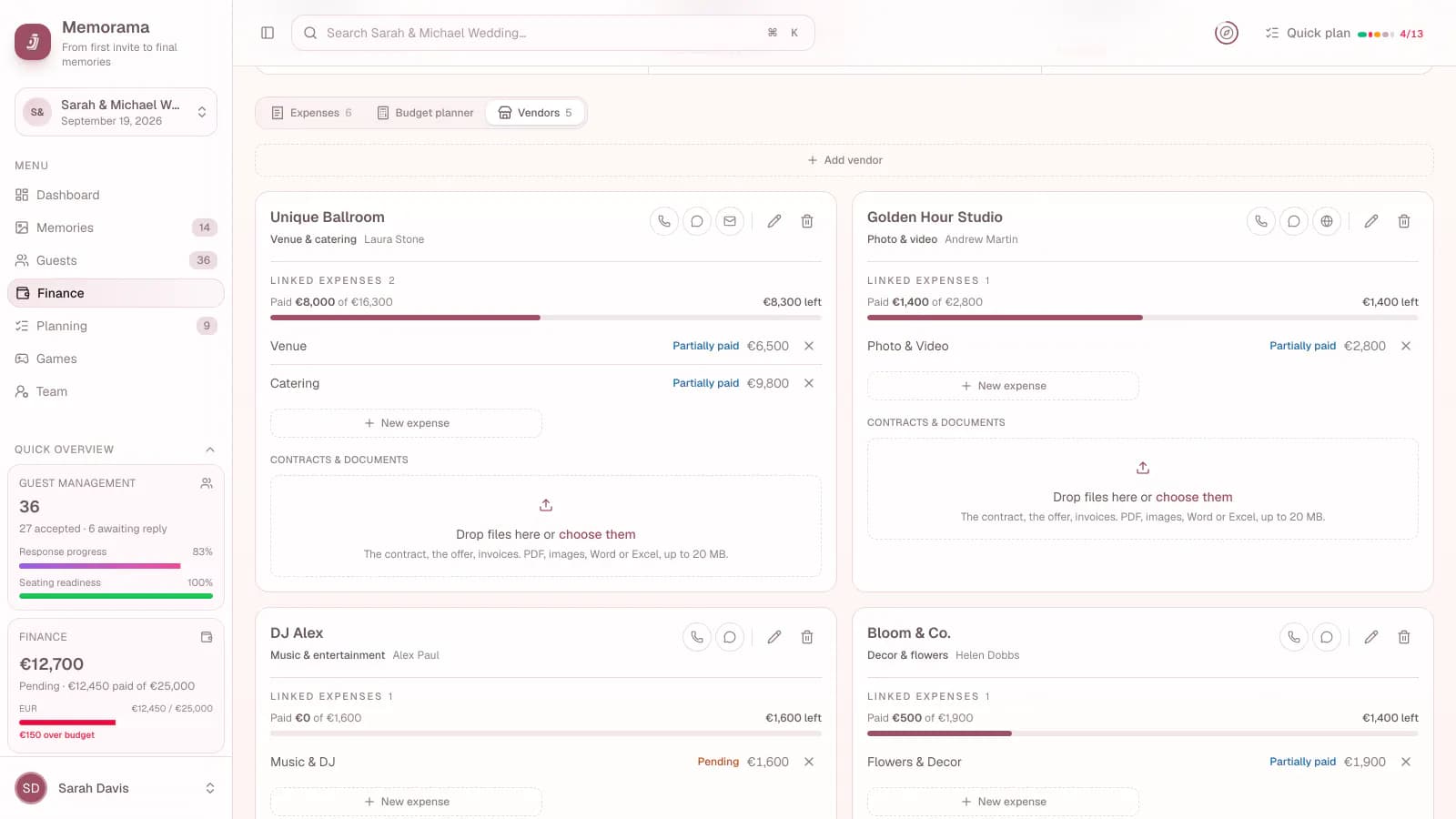
A closer look at budget, vendors & payments.
Made for real event planning
Memorama brings practical tools together, so the details stay organized before the celebration and the moments stay close afterward.
Simple workflow
Start from suggested expenses for your type of event or add your own, and link each one to the vendor you booked.
Log deposits and instalments with the date, amount, and who paid, and set when the next payment is due.
See upcoming and overdue payments, what's left for each vendor, and the net cost after the expected gifts.
FAQ
Yes. Add the deposit, instalments, and the final balance separately, each with its own date and payer.
Yes. Choose who paid when you add a payment, and the budget page shows how much each person paid, per currency.
Yes. Expenses and payments are totalled separately for each currency, such as lei and euro.
Yes. The budget planner counts the guests on your list, everyone except those who declined by default, and multiplies them by the menu price. Give children and infants their own price, add a menu for the staff, and leave out any expense you don't want in the totals.
Yes. Expenses, vendors, payment due dates, and the gift estimate are all part of free event management.
Explore more
Estimate the cash gifts per guest and per couple, add the godparents' gift, and see what the event really costs.
Learn moreA planning checklist with due dates, owners, and shared notes.
Learn moreImport your list, track every reply, and remind those who haven't answered.
Learn moreFrom first invite to final memories
Start planning for free, then bring guests, logistics, and memories into one place.
Start planning for free