Turn on the link
From the seating plan, turn on the hostess link. It's built from your guest list and tables.
A guest list for the door: who has arrived and where each guest sits.
Give the people at the entrance a link instead of a printed list. They search any guest by name, even typed without diacritics, see their table and seat, and mark them as arrived, alone or with the whole family. Several phones can use the same link at once, and you follow the arrivals live from your seating plan.
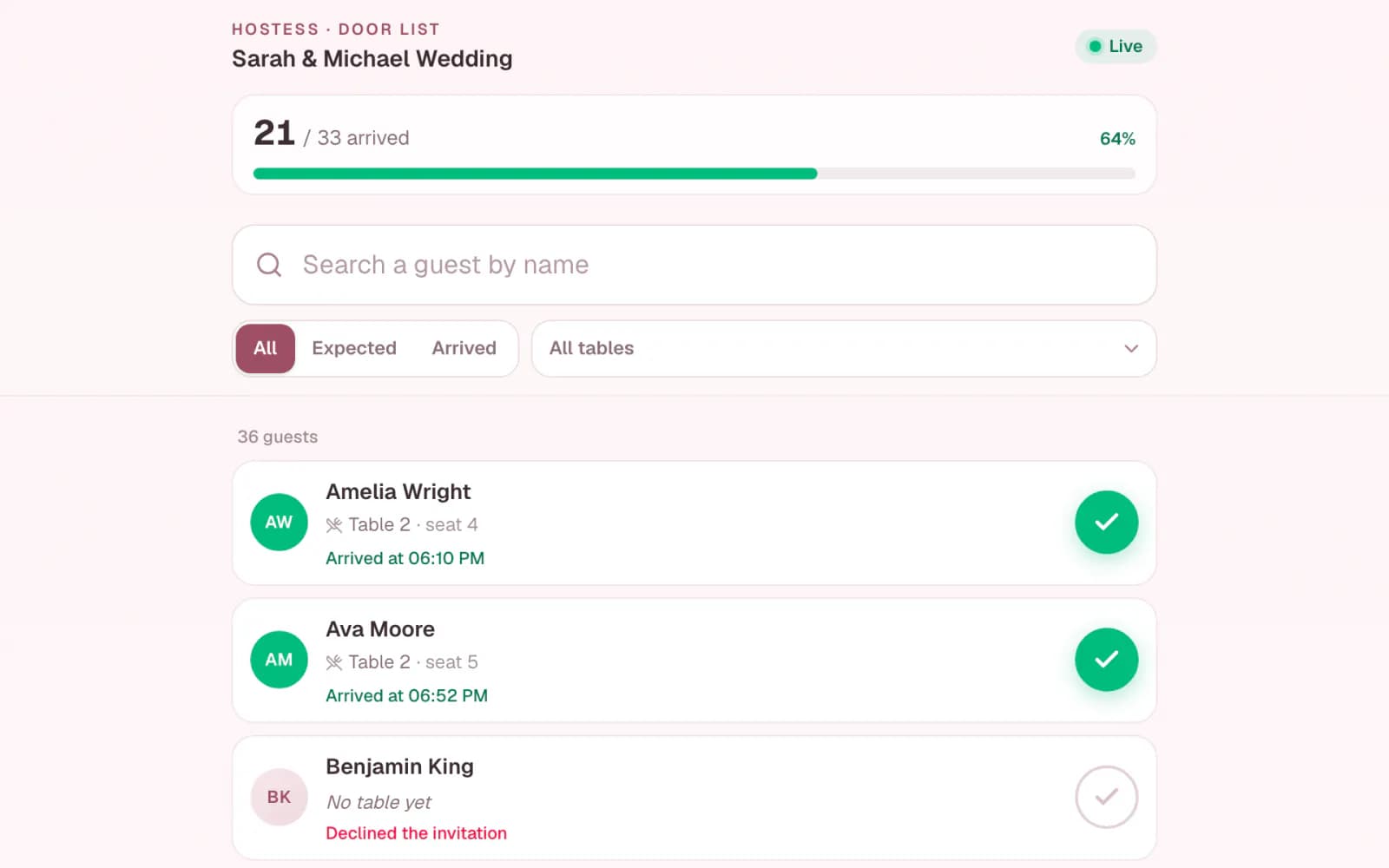
A closer look at hostess check-in link.
Made for real event planning
Memorama brings practical tools together, so the details stay organized before the celebration and the moments stay close afterward.
Simple workflow
From the seating plan, turn on the hostess link. It's built from your guest list and tables.
Send the link or let the hostess scan the QR code on their phone. Nobody needs an account.
The hostess searches each guest, points them to their table and marks them as arrived, while you watch the count from the seating plan.
FAQ
No. Anyone with the link can open the list, so share it only with the people at the entrance. If it ends up in the wrong hands, generate a new link and the old one stops working.
Yes. Several phones can use the same link, and each sees the arrivals marked on the others.
Yes. The hostess check-in link is part of the free event-management tools.
Explore more
Drag guests onto tables on a visual plan, then print the plan and place cards.
Learn morePrint the room plan, table lists, a find-your-table board, and place cards.
Learn moreImport your list, track every reply, and remind those who haven't answered.
Learn moreFrom first invite to final memories
Start planning for free, then bring guests, logistics, and memories into one place.
Start planning for free