Arrange tables
Plan tables and seats in the interactive planner.
Help guests view tables and find their seats quickly.
Make arrival easier by giving guests a clear map of the tables. The guest seating page is built from your seating plan, so everyone can find their own seat in seconds.
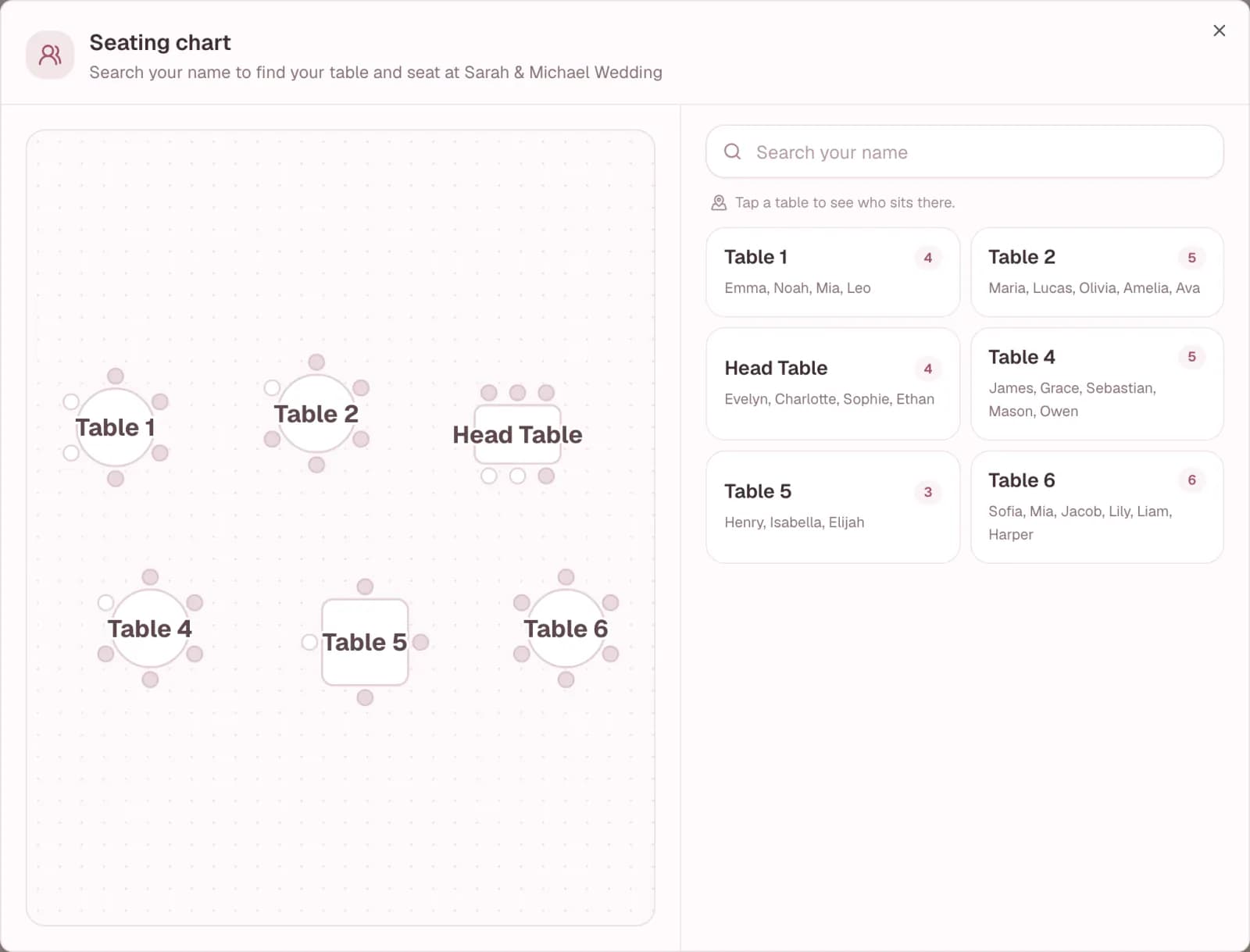
A closer look at guest seating chart view.
Made for real event planning
Memorama brings practical tools together, so the details stay organized before the celebration and the moments stay close afterward.
Simple workflow
Plan tables and seats in the interactive planner.
Connect each guest to the appropriate table and seat.
Turn on “Your seat” on the invitation so guests see their table on their phone, or print a board for the entrance.
FAQ
Yes. It presents the seating arrangement configured for the event.
No. Seating assignments are managed by event organizers.
Yes. The table planner and guest seating view are part of the event-management tools.
Explore more
Drag guests onto tables on a visual plan, then print the plan and place cards.
Learn morePrint the room plan, table lists, a find-your-table board, and place cards.
Learn moreImport your list, track every reply, and remind those who haven't answered.
Learn moreFrom first invite to final memories
Start planning for free, then bring guests, logistics, and memories into one place.
Start planning for free